Use BrainSpark with Aircall
After Aircall is connected, BrainSpark automatically processes eligible completed conversations using the workflows configured for your organization.
What happens after a call
Section titled “What happens after a call”A typical Aircall conversation follows this process:
- An eligible Aircall conversation is completed.
- Aircall makes the conversation transcript available.
- BrainSpark securely receives and processes the conversation.
- BrainSpark applies the workflow selected by your organization’s transcript routing configuration.
- Results become available in BrainSpark and any configured delivery destinations, such as Slack.
Processing is not always immediate. Transcript availability and processing time can vary depending on the conversation and provider.
Example analysis results
Section titled “Example analysis results”After BrainSpark processes an eligible Aircall conversation, the generated analysis becomes available inside BrainSpark.
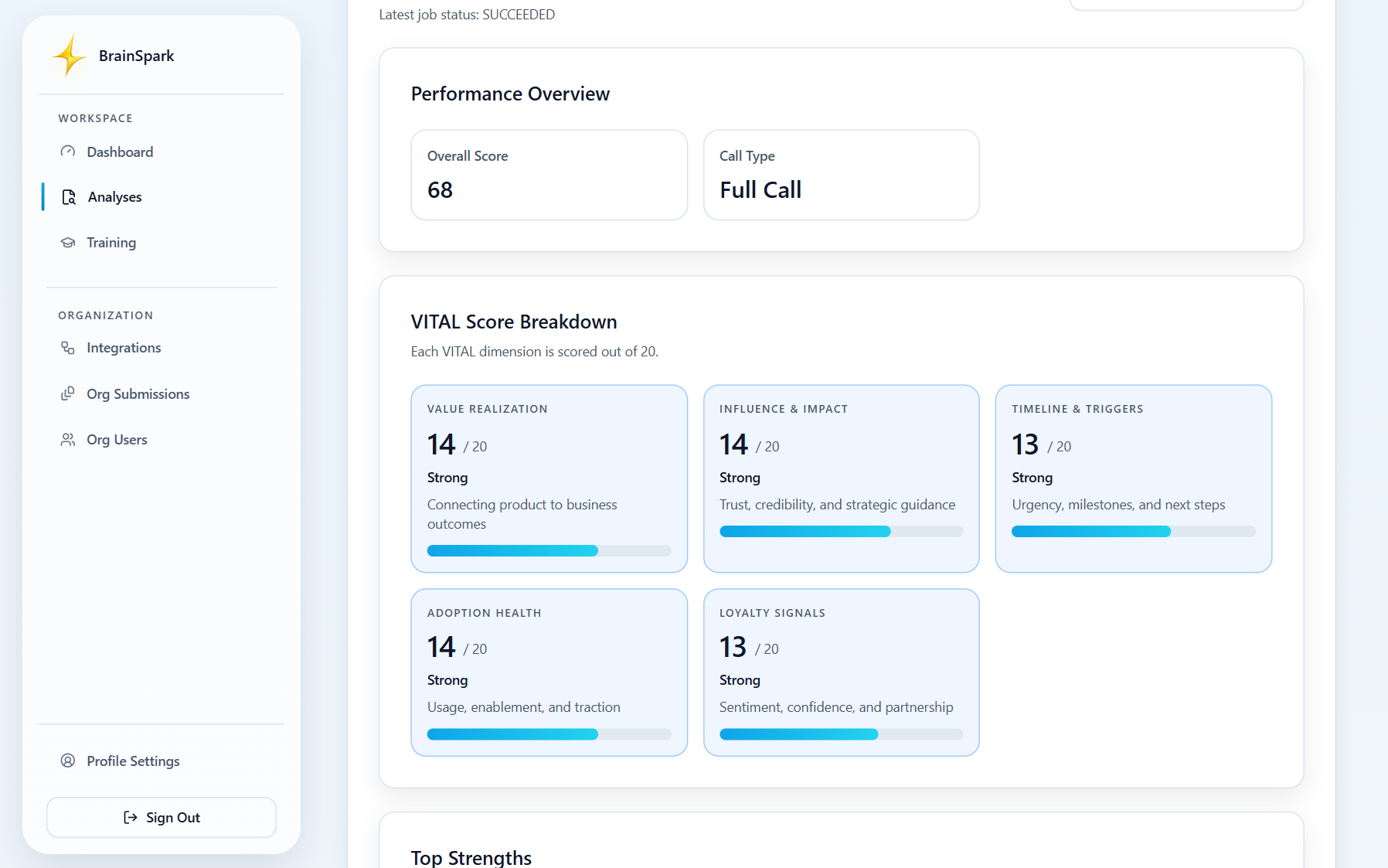
Depending on your configured workflow, BrainSpark can generate:
- Coaching feedback
- Structured call summaries
- Strengths and improvement opportunities
- Customer commitments
- Decisions and next steps
- Risks and open questions
- CRM-ready notes
- Draft follow-up content
- Reusable customer-conversation knowledge
Review results in BrainSpark
Section titled “Review results in BrainSpark”Open the processed conversation or analysis in BrainSpark to review the generated insights.
Each workflow determines which outputs are available, but results may include evidence-based coaching, summaries, action items, and other structured knowledge generated from the conversation.
AI-generated outputs should always be reviewed before they are shared with customers or copied into external systems.
Receive results in Slack
Section titled “Receive results in Slack”If your organization has connected Slack, BrainSpark can also deliver supported workflow results to your selected Slack channel.
Slack notifications provide quick visibility into completed analyses, while BrainSpark remains the primary location for reviewing the complete analysis and conversation context.
Use generated notes and drafts responsibly
Section titled “Use generated notes and drafts responsibly”Before using generated CRM notes, summaries, or follow-up drafts:
- Verify names, dates, commitments, and next steps.
- Remove any information that should not be shared externally.
- Adjust the language to match your organization’s communication standards.
- Confirm the final content accurately reflects the original conversation.
If a conversation does not appear
Section titled “If a conversation does not appear”If you do not see an expected conversation:
- Confirm the Aircall integration is still connected.
- Verify the Aircall conversation completed successfully.
- Allow time for the transcript to become available.
- Confirm the conversation matches your organization’s transcript routing rules.
- Verify that an appropriate BrainSpark workflow is configured.
If the issue continues, contact help@brainsparklms.com.